Bridge Timer - unable to read BCS database file

Recently I'm encountering problems using bridge timer software connected to the scoring database!
This used to worl well, but lately I find this consistently generates a problem. It connects initially but at some stage the timer software appears unable to read the.bws database file - message "unable to read Bridgemate file" apppears - see attached screen shot.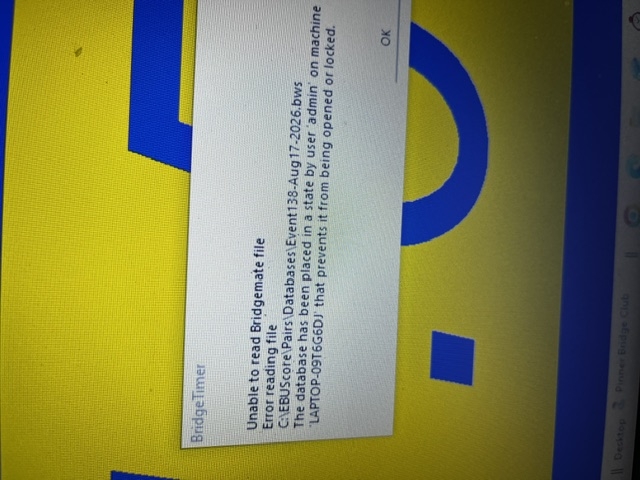
Jonathan told me this is a known issue - does anyone know the cause or can you suggets a workaround?
I'm using latest versions of EBUScore, BCS and BT software
Mark Humphris
Comments
Mark - I have spoken with the Bridge Timer author Mike Rothwell but we dont really know why this happens. You can restart the Timer as a workaround. The problem only started when we changed from Access 97 to Access 2004 Database (to accommodate Bridgemate III requirements). Mike had then found the problem with his own program BridgeScorer and did change the Timer early this year to open the database just once at the start of the session and read the results every 3 seconds without then closing the database. It ran for 7 hours without problem..but that was with Bridgescorer rather than EBUScore. I dont know whether you have the updated BridgeTimer?
Sry cant be more helpful.
Let us know if it fixes it if you update to the latest version of Bridge Timer, Mark. Thanks Jeff.
Jeff - I'm using the latest version of bridge timer and EBUscore. We saw the problem both with windows 10 and windows 11 operating systems. I ran a session last night where, despite receiving the error message , the timer software was able monitor the play status at all tables through to the end, without needing to restart BT. This is the first time I've been able to get the full functionality out of BT for several months, so it's progress.
Mark Humphris